Skip to content
Butterfly

Read machine data together with production conditions.

Production data monitoring and AI-assisted reporting.

Butterfly IQ matches data from the machine’s controller or sensors with the job reference, operator and production rate. On the live dashboard you see the conditions under which a deviation occurred, and you get an alarm when the thresholds you define are exceeded. When used with the Butterfly maintenance workflow, the alarm can be linked to a work order the maintenance team can track.

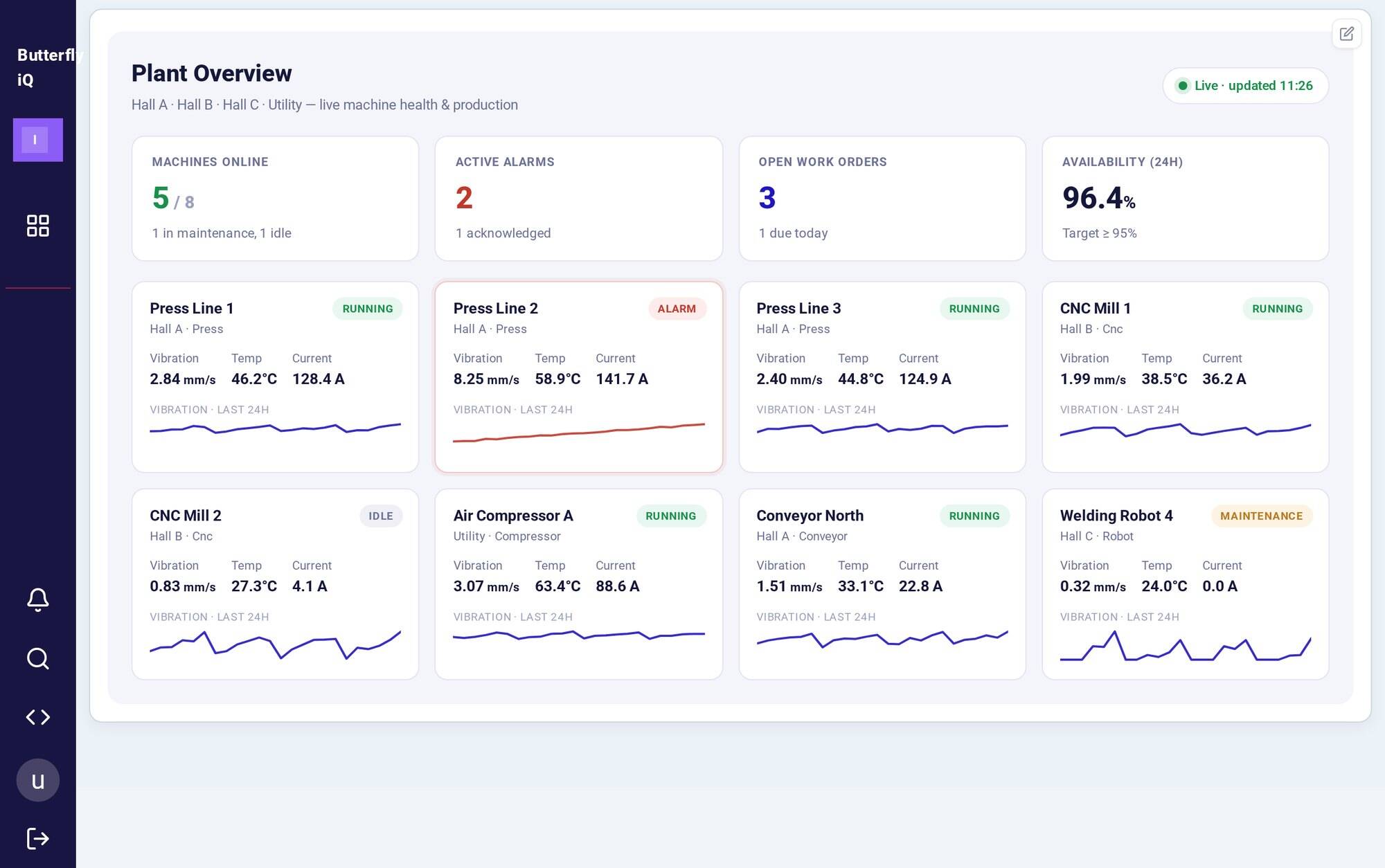
Live dashboard: the status of every machine on the line on one screenLive machine data
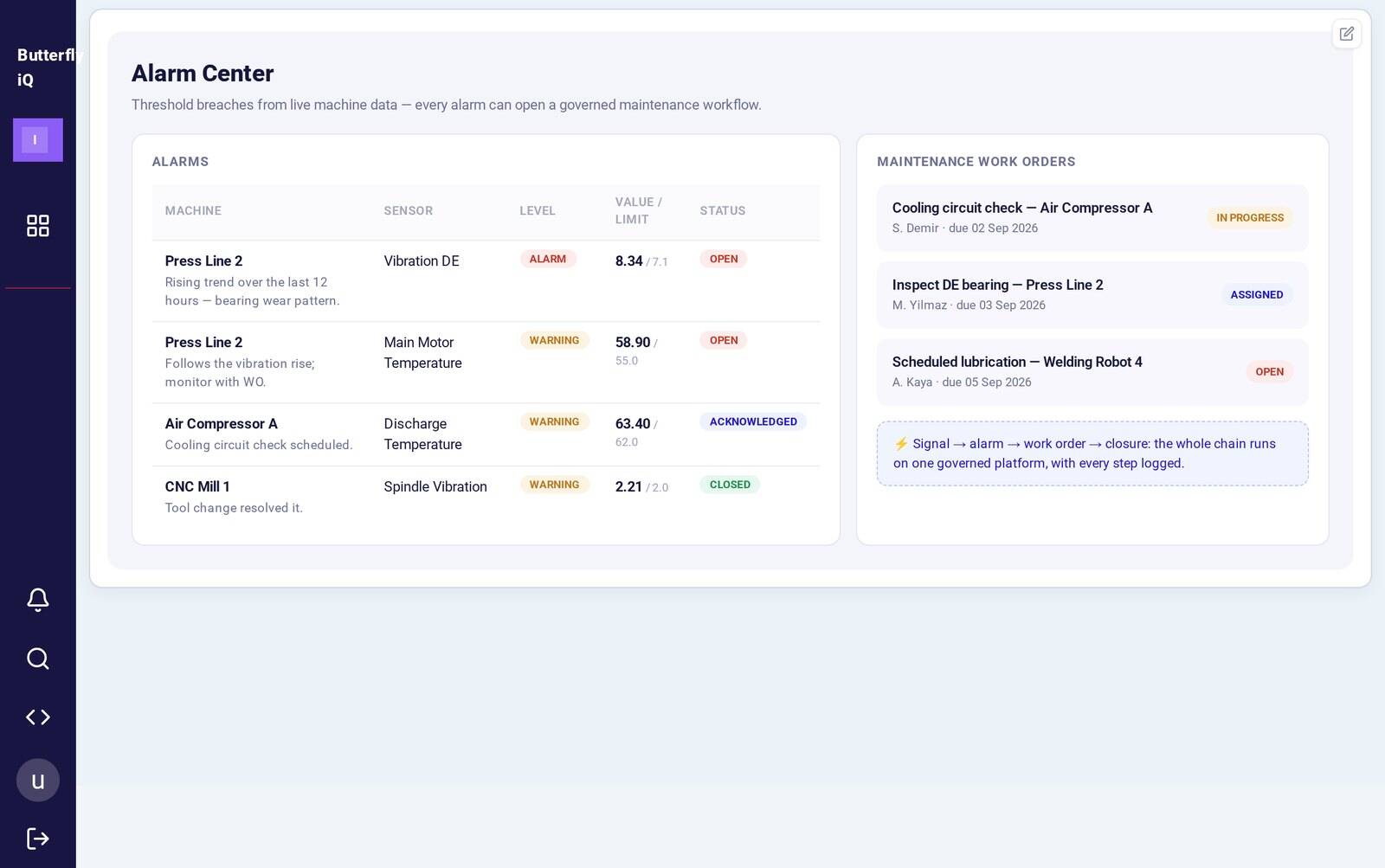
Alarm center: threshold breaches and linked maintenance work ordersMaintenance work orders
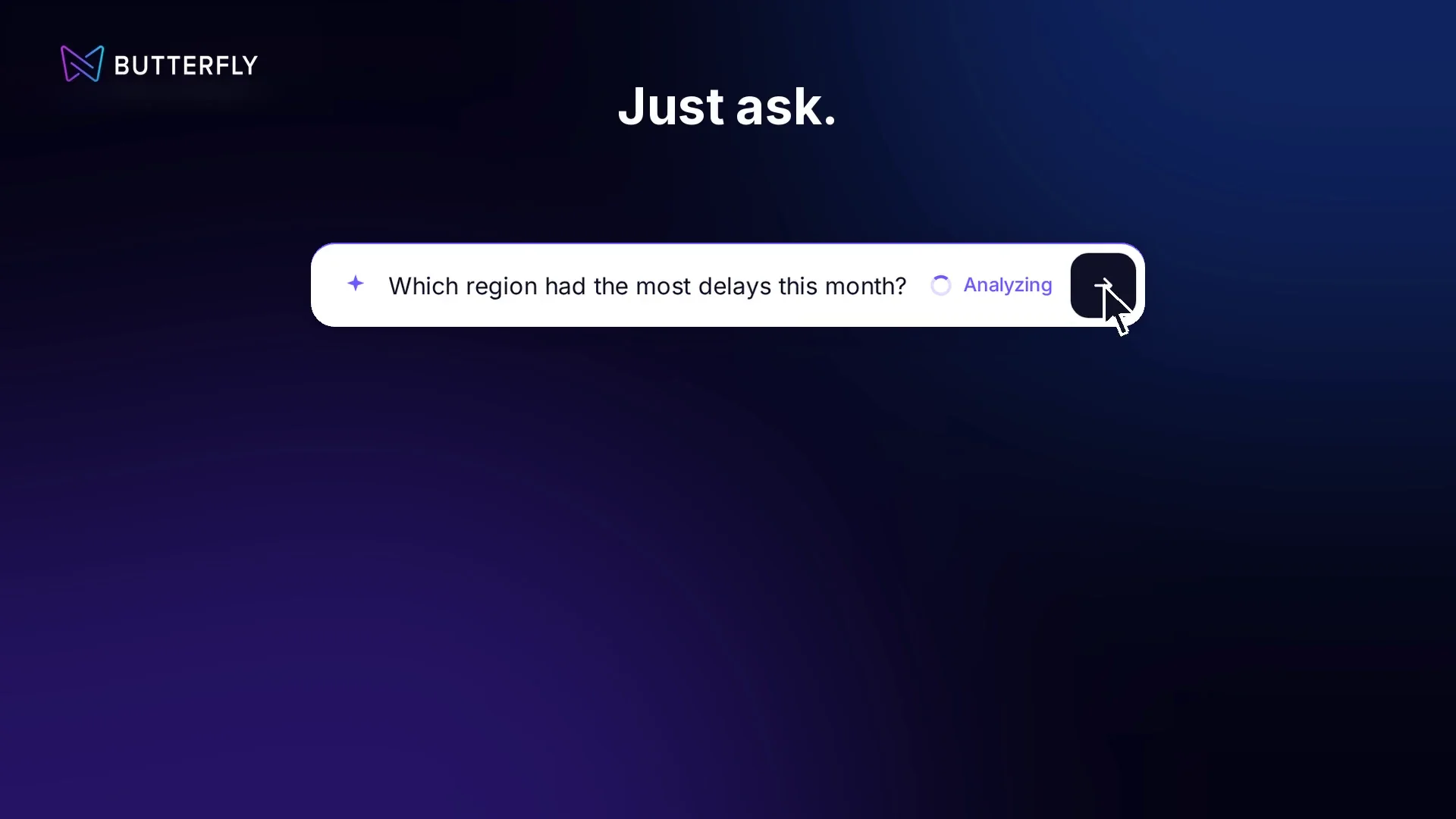
Type your question; the answer is prepared from data opened for accessNatural language questions
Live machine data · Live dashboard: the status of every machine on the line on one screenRepresentative Butterfly IQ screens · sample data
Problem

Vibration went up. What job was running at the time?

The maintenance team has the vibration chart in front of them. The production team tracks which job ran, with which operator and at what rate, on a separate screen. To tell whether a deviation appeared under a particular production condition, or repeats across different jobs, the two teams have to bring these records together.

Butterfly IQ brings the machine signal and the production record onto the same screen:

For the maintenance team

When reviewing an alarm, they see on the same screen which job was running at that moment, with which operator and at what rate.

For the production manager

They look at which operating conditions, jobs or shifts the deviation repeats in.

How does it work?

From the machine to the maintenance work order.

Live dashboard: the status of every machine on the line on one screenLive machine data
Deviating machine: vibration, temperature, current and the last 24 hoursDeviation
Alarm center: threshold breaches and linked maintenance work ordersMaintenance work orders
Type your question; the answer is prepared from data opened for accessNatural language questions
Live dashboard: the status of every machine on the line on one screen

Representative Butterfly screens · sample data

AI-assisted reporting

Ask your data in your own language.

  • Type your question instead of hunting for filters on the dashboard.
  • The answer is prepared from production data opened for access.
  • When a threshold is exceeded, the alarm can be linked to a maintenance work order.
Which teams is it for?

Teams that want to read machine data together with production.

Automotive suppliers and metal forming

Maintenance manager, production managerWhy? ↻
Why?

Vibration on a press line says little on its own; without knowing which job and what rate it occurred at, maintenance decisions rely on guesswork.

What it does

Review vibration and bearing data from the press line together with the job being run and the line speed.

Maintenance manager, production manager

Machine-intensive mass production

Plant manager, production and maintenance teamsWhy? ↻
Why?

If a deviation repeats across different jobs or shifts, that repetition sets the maintenance priority.

What it does

See deviations that repeat across different jobs or shifts and prioritize maintenance reviews.

Plant manager, production and maintenance teams

Machines of different brands and generations

Automation, OT and plant IT teamsWhy? ↻
Why?

Every machine talks to a different controller; knowing first which signals can be read defines the project scope.

What it does

Determine which signals can be read from existing controllers and assess the accessed data on a shared screen.

Automation, OT and plant IT teams
From the field

Machine and production data from a press line on the same screen.

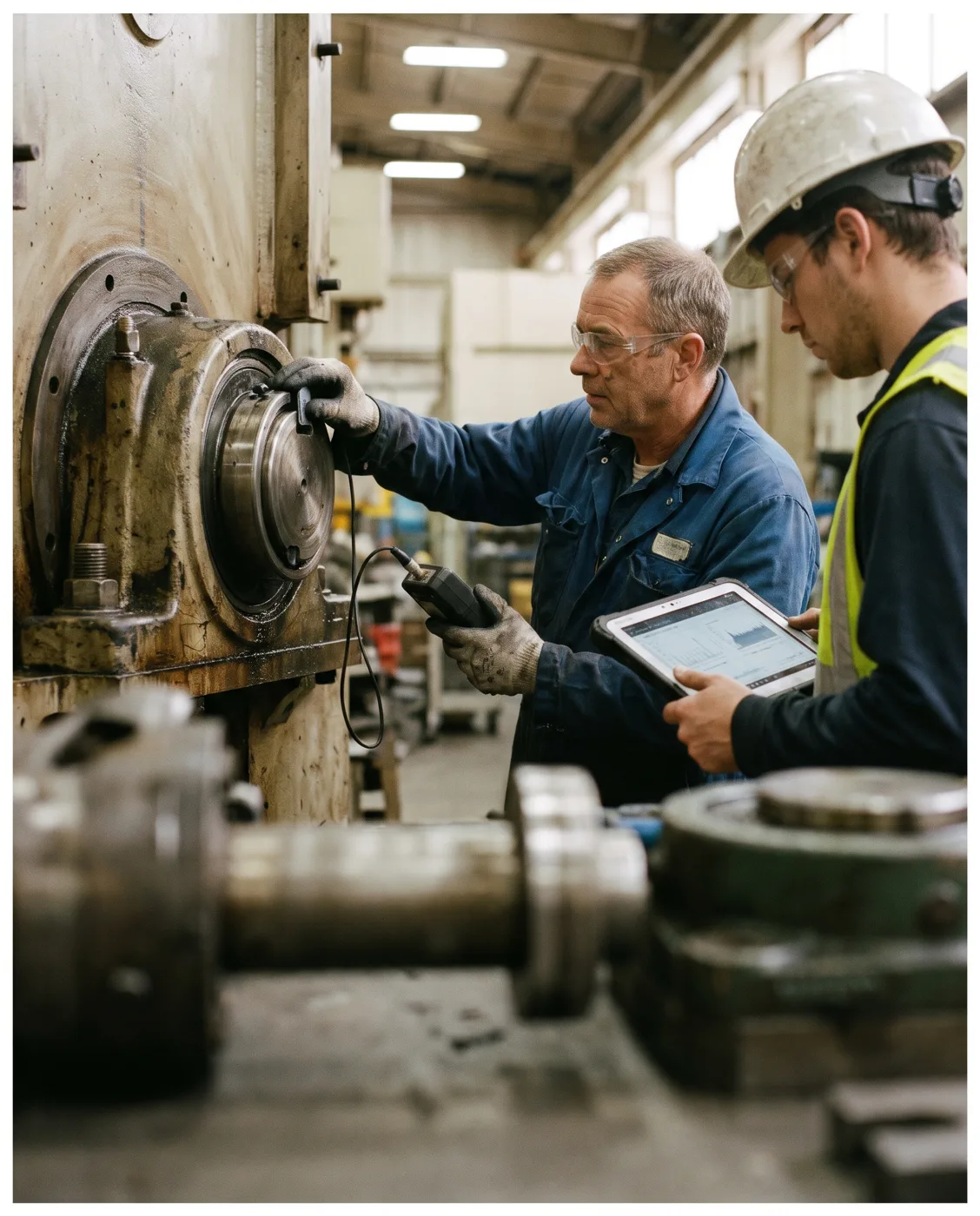
At an automotive supplier plant, vibration and bearing data from the press line are read live from the machine’s own controller. The team can monitor these signals on the same screen as the job reference, operator and production rate.

  • A deviation is seen together with the production condition it occurred under.
  • Because the machine program is not touched, the automation team readily approves the process.
  • Threshold alarms are fed by signals already available in the controller.
4bearing measurement points, each with vibration, imbalance and bearing indicators
0changes made to the PLC program; read-only access
EncryptedOPC UA connection, certificate-based session
Single blockjob reference, operator, rate and sensor values are read together

Needs assessment

Butterfly IQ and your plant: how good a fit?

8 questions, two minutes. At the end, see a scorecard of your needs on the machine data and maintenance side.

  • Data access
  • Context
  • Maintenance process
  • Reporting
8 questions · about 2 minutes
Data access1 / 8
Can PLC or sensor data be read from your machines?
Data access2 / 8
Where is this data monitored today?
Context3 / 8
Can signals like vibration be seen together with the job running at that moment?
Context4 / 8
How long does it take you to find which job, operator or shift a deviation repeats in?
Maintenance process5 / 8
How is the maintenance team notified when a threshold is exceeded?
Maintenance process6 / 8
How costly is unplanned downtime for you?
Reporting7 / 8
How are production and maintenance reports prepared?
Reporting8 / 8
How often do managers ask questions of the data?
See your readiness scorecard · 2 min
Frequently asked

Quick answers about Butterfly IQ.

Does it require changes to the machine program?
No. Data is taken from the controller with read-only access; the machine program is not changed.
Which data can we read?
Signals exposed by the controller or sensors are read. Which signals can be read and the connection method are determined together during the site assessment.
How does the alarm reach the maintenance team?
When a defined threshold is exceeded, the resulting alarm can be linked to a work order tracked in the Butterfly maintenance workflow.
Can it be deployed on-premises?
Yes. Butterfly can be deployed on-premises; data stays on the plant’s own network.

Let’s do the first review on a single machine.

Let’s look together at the machine’s controller, the signal you want to access and the question the maintenance team needs answered. We’ll focus the first meeting on which data can be read and which scenario can be built with it.